Hairstyle Try On-Color Changer
Leshui LabsBeauty
4.3101.00 Reviews
- Version
- 1.5.29
- Installs
- 10.00K
- Age Rating
- Everyone
Screenshots
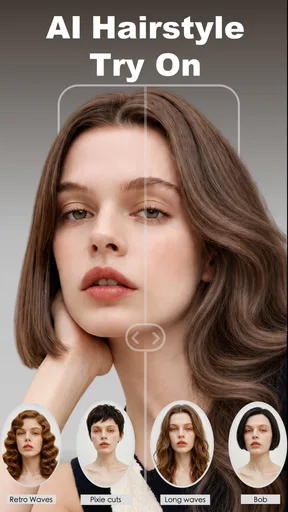
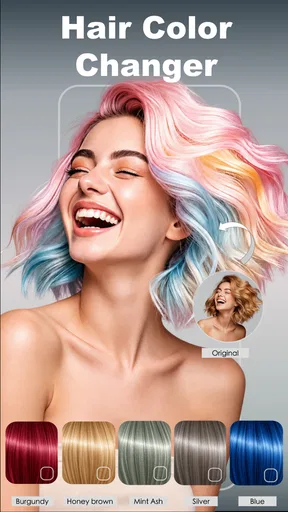
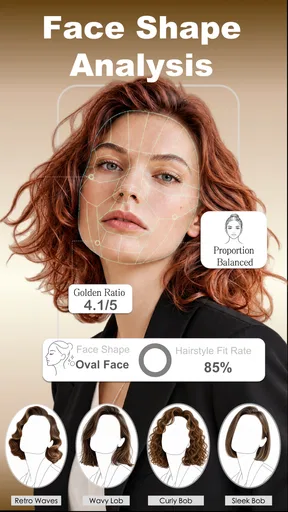
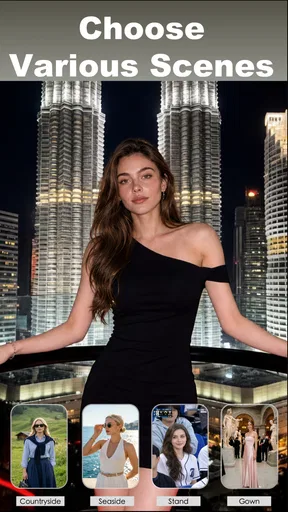
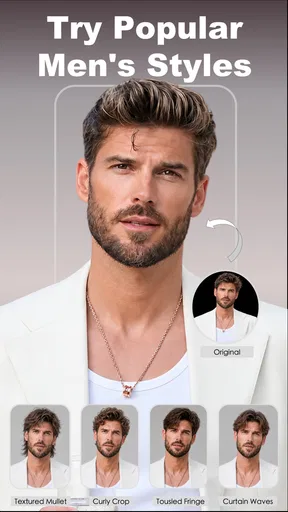
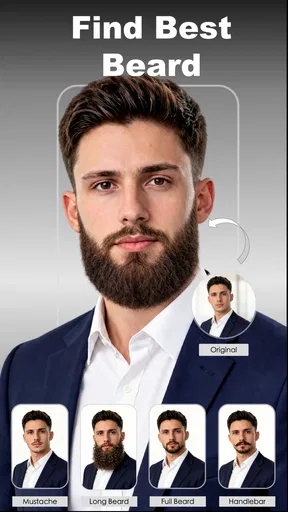
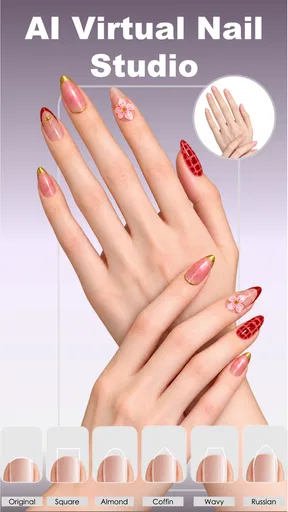
Our Review of Hairstyle Try On-Color Changer
 Analysis by Appyee
I approached Hairstyle Try On-Color Changer as a practical beauty tool rather than a replacement for a salon consultation. Its purpose is simple: let me preview different hairstyles and hair colors on a photo, so I can explore an idea before making a real change. That makes it useful for early decisions, especially when I am unsure whether a shorter shape, a different fringe, or a warmer color would suit me.
The app comes from Leshui Labs and sits in the beauty category. It is free to install, with optional in-app purchases ranging from $0.99 to $49.99 per item. It is rated for Everyone, supports devices running Android 7.0 or later, and the current version is 1.5.26. Those details make it approachable for a wide range of users, although the purchase range is worth keeping in mind before treating every available result as part of the free experience.
Getting past the first points of friction
The biggest challenge with an AI hairstyle app is often not choosing a look; it is preparing a photo that gives the visual system enough to work with. A dark, blurry, heavily angled, or partially covered face can make any virtual preview look less convincing. I found that a straightforward portrait with even lighting and the hairline reasonably visible is a much better starting point than a dramatic selfie.
This matters because a hairstyle preview is only as useful as the reference image behind it. If the original hair blends into a dark background, the edges can become difficult to interpret. Hats, large sunglasses, strong shadows, and hair covering much of the face can also make a result feel less like a preview and more like an abstract filter. Before blaming the app, I would first try a clearer image with the head facing mostly forward.
Another common sticking point is expecting the first result to answer the entire question immediately. A virtual change can show the general direction of a style, but it cannot perfectly predict how real hair will fall, how dense it will look, or how a color will behave under different lighting. I use the app to narrow down possibilities, not to make a final appointment decision without further thought.
The most reliable approach is to treat each preview as a conversation starter. If a look seems promising, I would save the image and show it to a stylist, while explaining what I like about it: the length, the shape around the face, the fringe, or the tone. That is more useful than simply saying I want the exact generated image.
Choosing a photo that produces a more useful preview
For a first attempt, I recommend a recent portrait taken in daylight or a bright room. Keep the camera near eye level and avoid a strong side angle. The goal is not to create a perfect studio image; it is simply to give the app a clean view of the face and existing hair. A neutral expression is usually more helpful than a pose with the head tilted sharply.
If I want to compare colors, I would use the same photo for every variation. That keeps the face, lighting, and camera angle consistent, so the color itself remains the main thing changing. Switching between several unrelated photos can make one result look better only because the lighting is more flattering, which makes comparison less fair.
For hairstyle comparisons, I would take a slightly different approach. A front-facing photo helps with bangs and face-framing shapes, while a mild three-quarter view may give a better sense of how a cut could appear around the sides. I would not rely on one angle alone for a major change. A style that looks balanced from the front may not communicate its shape from another viewpoint.
It is also worth checking the original image before uploading or selecting it. If the hair is cropped at the top of the frame, the preview may have less room to represent volume or length. If the image contains several people, the result may be confusing because the app has to identify the intended subject. A simple, single-person portrait removes that avoidable uncertainty.
Setup checks before judging the result
The app is free to install, but free access does not necessarily mean every option or result is included without a purchase. I would look carefully at any screen that presents an upgrade or purchase before confirming it. The listed purchase range goes from $0.99 to $49.99 per item, so the difference between a small optional extra and a much larger package can be significant.
That is especially important when experimenting casually. If I am only curious about one haircut, I would begin with the basic experience and decide whether the result is useful before spending anything. I would also avoid tapping through a purchase prompt quickly, particularly when testing several looks in a row. Taking a moment to read the button and the surrounding text is a small habit that prevents an unwanted charge.
Device compatibility is relatively broad because the app supports Android 7.0 and newer. Still, an operating system that meets the minimum does not guarantee the same smoothness as a newer phone. If the app feels slow, closes unexpectedly, or takes a long time to process an image, I would first check whether other demanding apps are open and whether the phone has enough free storage for normal operation.
A stable internet connection is also a sensible setup check for an AI-based image tool, even though connection behavior can vary by device and service conditions. If an image remains stuck while processing, I would switch between a dependable Wi-Fi connection and mobile data, then retry once rather than repeatedly pressing the same control. Repeated taps can make it harder to tell whether the original request is still running.
Because the app handles personal photos, I would choose images thoughtfully. A private portrait is different from a public post, and I would avoid using pictures of other people without their permission. I would also keep copies of any important original images outside the app. That is not a criticism of Leshui Labs; it is simply a sensible routine whenever an image-editing tool is involved.
A workflow that makes comparisons easier
My preferred workflow starts with one clean photo and a small question. Instead of trying every possible direction at once, I would begin with a choice such as “Would a shoulder-length shape suit me?” or “Does a cooler brown look better than my current tone?” A focused question makes the results easier to compare and reduces the temptation to chase random variations.
I would then create a small group of related previews. For example, I might compare a familiar length with a slightly shorter version, then examine two nearby color families. Keeping the changes controlled helps separate the effect of the cut from the effect of the color. If I change length, fringe, texture, and tone at the same time, I may like or dislike the overall image without knowing which element caused that reaction.
One useful but easy-to-miss habit is to keep a simple record of what each image represents. I might save a preview with a note such as “longer front, warmer brown” or “shorter shape, no fringe.” Without labels, several similar images can become difficult to distinguish later, especially when I want to discuss them with a stylist or a friend.
I would also judge the preview at normal size, not only while zoomed in. Zooming can make small edges and color patches look more important than they are. At normal viewing size, I can ask the more practical question: does the overall shape feel believable and wearable? If the answer is yes, then a closer look can help identify what I want to request in real life.
When a result looks strange, I would not immediately conclude that the entire app is unreliable. First, I would return to the original photo and test a clearer version. If the face is partly hidden, the hairline is unclear, or the lighting is uneven, the same problem may appear across several styles. Changing the input image is often more informative than generating many more variations from the same weak source.
Recovering when a preview goes wrong
If the app appears to freeze, my first recovery step would be simple: wait briefly, then leave the current screen and try the same action once more. I would avoid rapidly repeating the request. If that does not help, I would close the app, reopen it, and use a smaller, clearer photo. This sequence addresses common workflow problems without assuming that a particular error message or internal feature exists.
If a result loads but looks misaligned, I would test a front-facing portrait with the hair away from the eyes and face. I would also remove visual distractions from the frame. A different image can reveal whether the problem came from the selected photo rather than from the hairstyle option itself.
If only one style looks unusual while other previews are reasonable, I would treat that individual result cautiously. AI-generated transformations can vary in quality from one look to another. I would compare several related options instead of letting one awkward image decide whether the whole concept works for me.
Color deserves its own recovery method. A preview may look too bright, too flat, or unlike the expected shade because the original photo has colored lighting or strong contrast. I would compare colors using a neutral image and evaluate the general family—warm, cool, light, dark, or vivid—rather than assuming the screen can reproduce the exact salon formula.
When a purchase prompt interrupts experimentation, I would stop and decide whether the extra option is genuinely needed. The free installation makes it easy to begin, but the presence of paid items means I would not build a plan around a feature until I know whether it is available in my current use. If the app is only being used for inspiration, a limited set of previews may already be enough.
When the problem is really the photo, phone, or expectation
Not every disappointing result points to a software fault. Hair is reflective, textured, and affected by movement, so even a good image can simplify it. Curly, tightly textured, layered, or very fine hair may not be represented with the same detail I would see in person. In those cases, the preview can still help with broad shape and color direction, but I would be careful about treating the texture as an exact forecast.
Lighting is another major variable. A warm indoor lamp can make a neutral color appear golden, while a cool room can make the same hair look ashier. If I compare a preview made under one light with a real-life reference seen under another, I may draw the wrong conclusion. I would inspect the result in more than one viewing environment and focus on the relative difference between options generated from the same image.
The phone itself can also affect the experience. Older hardware may take longer to process images, and low available storage can make general app behavior less dependable. In that situation, I would close background apps, check storage, and restart the phone before deciding that the beauty tool is unusable. These are ordinary maintenance steps, but they can make a noticeable difference in image-heavy apps.
There is also a limit that no hairstyle preview can remove: a picture cannot show the maintenance required by a real cut or color. A dramatic fringe may need regular styling. A light color may require a different care routine. A short shape may look excellent in a static image but demand frequent trims to keep its outline. I would use the generated look to identify what appeals to me, then ask a professional about upkeep, hair condition, and suitability.
Who will get the most from it
I think this app is best for someone who is curious but undecided. If I am considering a change and cannot explain what I want, being able to see several directions can make the conversation easier. It is also useful for someone who likes collecting visual references before visiting a salon, or for a person who wants to compare color families without immediately committing to dye.
A realistic everyday use would be preparing for an appointment after work. I could choose a clear portrait, test a few lengths, and save the two or three images that communicate my preferences. Instead of scrolling through unrelated photos of models with different face shapes and lighting, I would arrive with references based on my own features. That does not guarantee the same result, but it gives the consultation a more personal starting point.
The app may be less suitable for anyone seeking a precise technical simulation. If I need an exact representation of a complex cut, a highly specific dye formula, or the behavior of my natural texture from every angle, a professional consultation or an in-person try-on method would be better. I would also skip it if I dislike experimenting with photos or if I expect every generated image to look salon-ready.
Compared with browsing hairstyle galleries, this tool has the advantage of putting the idea on my own face. Galleries are often better for discovering detailed cuts, styling techniques, and examples of real hair texture, while this app is better for personal visualization. Compared with a salon’s professional advice, it is faster and more private, but it lacks the expert assessment of hair health, density, growth patterns, and maintenance.
My practical verdict after using it
Hairstyle Try On-Color Changer is a useful exploratory beauty app when I approach it with realistic expectations. Its strongest role is helping me move from a vague thought—“maybe I want a change”—to a more specific direction involving length, shape, or color. The experience becomes much more valuable when I use consistent photos, compare related options, and keep notes about what each preview is showing.
The current release is 1.5.26, and the app has a 4.3 average from around 1.2 thousand ratings, with over 10 thousand installs. Those figures suggest a modest but established audience rather than a tool I would assume has become a universal standard. I would read that as encouragement to try it, not as a reason to expect flawless results on every face, phone, or hairstyle.
I appreciate that the app is free to start and rated Everyone, because that lowers the barrier for casual experimentation. At the same time, optional purchases can become the main point of friction if I am not paying attention to what is included. My advice is to test the basic workflow first, protect the original photos, and only consider a purchase when a specific added option is genuinely useful.
In the end, I would recommend it to a friend who wants visual inspiration before making a hair decision, especially if that friend is willing to test photos and interpret results thoughtfully. I would not recommend using it as the sole authority for a major transformation. Used as a planning aid rather than a promise, this app can make an uncertain hairstyle decision feel much more manageable.
Verdict
Strengths of Hairstyle Try On-Color Changer
- Lets you preview hair colors before making a real change.
- Offers quick hairstyle experiments without salon appointments.
- Useful for comparing bold shades and subtle color adjustments.
- Simple interface makes casual testing easy for most users.
- Can help you communicate hairstyle ideas to a stylist.
Limitations of Hairstyle Try On-Color Changer
- Results may look unrealistic on complex hairstyles or poor-quality photos.
- Some styles or color effects may require in-app purchases.
- Accurate previews depend on good lighting and a clear front-facing photo.
- Virtual colors cannot fully predict real dye results or hair texture.
- Privacy settings should be checked before uploading personal photos.
Similar Picks in This Category
View All
Beauty Makeup Editor & Camera
Photo & Video Editors - Instant Solution4.7

Perfect365: Face Makeup Editor
Perfect365, Inc.3.5

Mirror Plus - HD Mirror app
Digitalchemy, LLC4.8

Cute Lock Screen & Wallpapers
Prometheus Interactive LLC4.6

HD Camera for Android
One Music Player4.5

Phone Mirror app - True Mirror
Cards4.6
You May Also Like
View All
Frequently Asked Questions
What is Hairstyle Try On-Color Changer?
Hairstyle Try On-Color Changer is a virtual makeover app that lets you preview different hairstyles and hair colors before making a real change. You can use a photo from your device or take a new selfie, then experiment with cuts, lengths, styles, and shades. It is designed for inspiration and comparison rather than professional salon-level visualization.
How do I use Hairstyle Try On-Color Changer to test a new look?
After opening the app, choose an existing portrait or capture a new photo with your camera. Select a hairstyle or hair-color option and adjust it over your image to see how the look might suit you. For better results, use a well-lit, front-facing photo with your hair and face clearly visible. Some styles may require repositioning or resizing manually.
Does Hairstyle Try On-Color Changer provide realistic results?
The app can be useful for getting a general idea of how a haircut or color may look, but the results are not always perfectly realistic. Lighting, facial angle, hair texture, and the quality of the selected photo can affect the final preview. The overlays may not accurately represent volume, movement, or the exact color produced by a real stylist.
Is Hairstyle Try On-Color Changer free to download and use?
Hairstyle Try On-Color Changer may be available as a free download, but access to all hairstyles, color options, editing tools, or export features can depend on the app version and its monetization model. Users should check the store listing for current details about advertisements, optional purchases, subscriptions, and any trial terms before downloading or confirming payment.
Does the app protect my photos and personal information?
Because the app works with selfies and personal images, it is important to review its privacy policy and the permissions requested during installation. Check whether photos are processed directly on the device or uploaded to external servers, and confirm how saved images are handled. Avoid granting unnecessary access, and do not upload sensitive photos unless you understand the app’s data practices.
